Building software is a lot like building a Dyson sphere. Not because both involve a civilization's worth of hubris and someone insisting "we can do it cheaper," though those are eerily accurate, but because both demand the same fundamental discipline: the right tools, in the right hands, in the right order.
Get the sequence wrong and you are installing energy panels before you have solved the orbital mechanics. In software terms, that means deploying to production without tests. Both end the same way: structurally unsound, everybody staring, nobody claiming responsibility, and the star is still just sitting there, indifferent to your timeline.
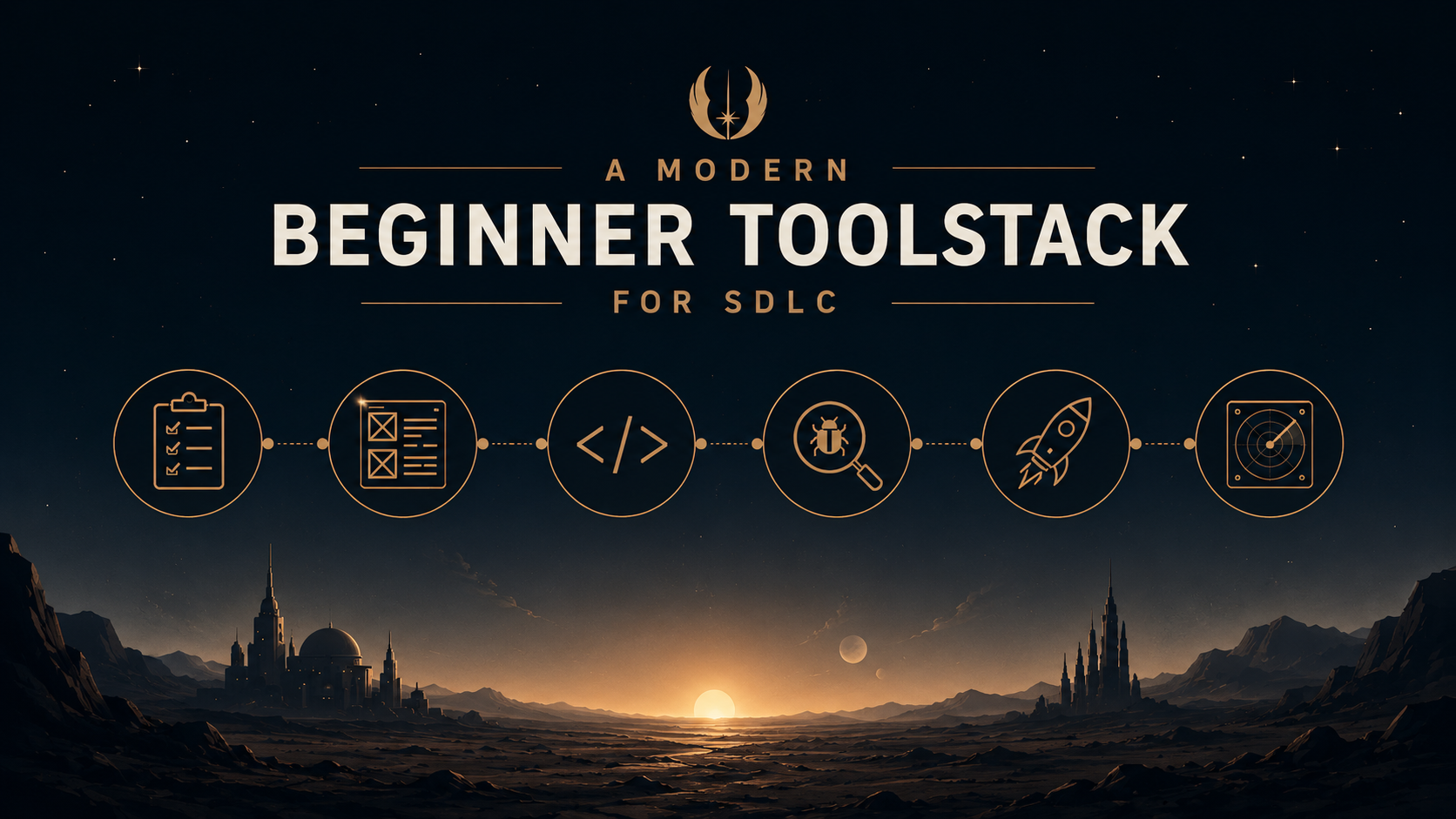
This guide walks through the Software Development Life Cycle the way an advanced civilization's chief engineer would: stage by stage, layer by layer. Every section has two parts: what this stage looks like when you are trying to encase a star in a planet-scale energy-harvesting megastructure, and what tools actually do the job in software, how much they cost, and which ones to reach for first.
 Stage 1
The Grand Consortium: Planning and Project Management
Before a single assembly drone launches, your civilization needs to agree on what it is building and why. This sounds straightforward until you discover that a civilization advanced enough to contemplate a Dyson sphere has roughly the same committee culture as any other large organization: seventeen planning bodies, forty subcommittees, and a working group that has been "nearly ready to report" for the past eighty years.
The Grand Coordinator running this process has a very specific talent. They can listen to the Physics Division, the Energy Allocation Bureau, the Stellar Hazard Risk Committee, and the Philosophical Council debate for three centuries, synthesize it into a construction timeline, and deliver a briefing that makes everyone feel heard while committing to almost nothing specific. This is not incompetence; it is the art of moving something forward in an organization large enough to contain geological timescales.
Skip this stage, and your construction fleets arrive in the target star system without knowing whether they are building a full Dyson sphere, a Dyson swarm, or just the two panels the Finance Division approved before the budget freeze. They will start anyway, because engineers are optimists. They will discover the fundamental design contradiction on Ring Section 4,000 that would have been obvious from the consortium minutes. If, you know, there had been consortium minutes.
Project management tools are where your team tracks what needs to happen, who is responsible, and most critically: whether it is actually happening. For software teams, the options split into two camps: heavyweight platforms built for enterprise planning, and lightweight tools built for teams who want to ship rather than administrate.
Jira (Atlassian) is the enterprise standard and the tool most developers will encounter in their first job. It supports sprints, epics, custom workflows, automation rules, and enough configuration options to keep an Agile consultant employed for several months. Free for up to ten users; the Standard plan is $7.91/user/month. If your organisation already uses Confluence or Bitbucket, the Atlassian ecosystem integration is a genuine advantage.
Linear is the modern challenger. It is fast, opinionated, and deliberately stripped of the overhead that makes Jira feel like project management about project management. Linear loads in milliseconds, its keyboard shortcuts are thoughtfully designed, and its AI (Linear Agent) can triage and assign issues automatically. Free for unlimited members with 250 active issues; the Basic plan is $10/user/month. Favoured by engineering-led teams who find Jira's weight disproportionate to their size.
ClickUp attempts to be every tool at once: tasks, docs, goals, whiteboards, time tracking, and dashboards in a single interface. This is either the dream or a warning sign depending on your personality and your tolerance for tab overload. Free for unlimited users and tasks; Business is $7/user/month, the lowest-cost feature-rich option in this category.
Trello is the simplest of the group. Kanban boards, drag-and-drop cards, minimal ceremony. Ideal for solo developers and small teams who want visibility without setting up a process. Free forever for the basics; Standard is $5/user/month, Premium is $10/user/month.
| Tool | Free Tier | Paid | Best For |
|---|---|---|---|
| Jira | 10 users, 100 automations/mo | $7.91/user/mo | Enterprise teams, Atlassian ecosystem |
| Linear | Unlimited members, 250 active issues | $10/user/mo | Engineering-led teams, startups |
| ClickUp | Unlimited users and tasks | $7/user/mo | Teams wanting maximum features at minimum cost |
| Trello | Unlimited cards, basic features | $5/user/mo | Solo developers, very small teams |
Beginner pick: Linear or Trello. Both have generous free tiers, take less than an hour to learn, and will not require a dedicated onboarding session to get the first ticket created.
Stage 2The Astrophysical Specification: Requirements and Documentation
After the consortium comes the Stellar Engineering Division. While the architects were arguing about which star looked most impressive in the renderings, the stellar engineers were doing the mathematics that determines whether your Dyson sphere remains a Dyson sphere or becomes a very expensive debris field. They produce documents that nobody reads until something goes wrong, at which point everybody reads them very carefully and very quickly.
These documents — the luminosity tables, the tidal force calculations, the thermal expansion coefficients for panels operating at 5,778 Kelvin proximity — are the unglamorous backbone of the entire project. Nobody frames them and hangs them in the grand visualization chamber. Nobody composes music about them. But when a construction robot asks how much structural flex a panel needs to survive a coronal mass ejection, the answer is in there. Without it, the robot guesses. Robots that guess produce panels that are either overbuilt by forty tonnes per square kilometer or underbuilt and briefly, spectacularly vaporized.
Requirements documentation in software works exactly the same way. You are not writing code yet. You are writing down what the code needs to do, under what conditions, for whom, and what "complete" means. This is the document your future self will either celebrate or read in cold horror when the client says "that is not what we asked for."

Documentation tools have evolved from static Word files passed around by email into living, searchable, cross-referenced knowledge bases that update in real time. The right tool depends on whether your documentation is primarily structured (technical specs, runbooks, API references) or visual (user flows, architecture diagrams, whiteboard sessions).
Confluence (Atlassian) is the most widely used structured documentation platform in enterprise software. It supports hierarchical spaces, page templates, macros, and a native integration with Jira that links requirements directly to development tickets. The free tier covers ten users; Standard is $5.42/user/month. All paid plans now include Rovo, Atlassian's AI assistant, which can surface information across your entire knowledge base.
Notion is more flexible and more enjoyable to write in. It handles documentation, wikis, databases, and project boards through a block-based editor that behaves intuitively from the first session. The free personal tier is functional; Plus is $10/user/month. Note that Notion AI requires the Business tier at $20/user/month, worth knowing if AI-assisted writing is a priority.
Miro and FigJam cover the visual side: user journeys, system architecture maps, entity-relationship diagrams, and whiteboard sessions that would otherwise exist only as a blurry photo nobody can read after the meeting. Miro's free plan includes three editable boards; Starter is $10/member/month. FigJam is included with Figma's paid plans and free for limited use.
Beginner pick: Notion for solo and small-team documentation. Confluence if you are already in the Atlassian ecosystem. Add Miro or FigJam whenever you need to diagram something, which will be more often than you expect.
Stage 3The Stellar Archive: Version Control
Every revision to a Dyson sphere panel design is logged. Not just the current design; every design. The Archive contains the original specifications from before anyone understood the star's eleven-year magnetic cycle. It contains the redesigns after the first test batch was destroyed by a solar flare that "the models said was extremely unlikely." It contains the working group's proposal to use a different alloy, the counter-proposal from the Materials Division, the compromise alloy, the incident report explaining why the compromise alloy was a mistake, and the very measured memo from the Stellar Engineering Division noting that they had, in fact, said so.
The reason this archive exists is not to assign blame, though it does that well. It is so that when a panel produced in Year 2,400 begins failing in Year 5,700, the maintenance crew can find the original specification, understand the design assumptions, and determine whether the failure mode was anticipated. The person who made the original decision is not available for questions. They have not been available for questions for quite some time.
Version control in software is the same archive. Every change to your code is recorded, timestamped, and attributed. You can trace any decision back to its origin, understand the context it was made in, and recover from almost anything short of deleting the repository. The developer who skips version control on a personal project always, eventually, loses two weeks of work.
Git is the underlying version control system, free, open source, and so universal that saying "I use Git" is like saying "I breathe air while working." Everything else in this section is a platform built on top of it.
GitHub is where most of the world's open source code lives and where most teams host their repositories. The free plan includes unlimited public and private repositories with 2,000 CI/CD minutes per month. The Team plan is $4/user/month. GitHub also has the largest developer community, the strongest job market recognition, and GitHub Copilot for AI-assisted coding. For most beginners, the default choice is clear.
GitLab is the all-in-one alternative. A single GitLab subscription bundles repository hosting, CI/CD pipelines, container registries, security scanning, and planning tools, meaning you potentially need fewer third-party integrations and fewer vendor relationships to manage. The free tier includes unlimited repositories but only 400 CI/CD minutes per month. The Premium plan is $29/user/month, which is where GitLab's serious enterprise capabilities (including Duo Chat, its native AI assistant) begin.
Bitbucket (Atlassian) is the natural choice for teams already using Jira and Confluence. The integration is seamless and native. Standard is $3.30/user/month, the most affordable hosted Git platform in the market.
| Platform | Free CI Minutes/mo | Paid Plan | Standout Feature |
|---|---|---|---|
| GitHub | 2,000 | $4/user/mo (Team) | Largest ecosystem; GitHub Copilot; Actions marketplace |
| GitLab | 400 | $29/user/mo (Premium) | Full DevSecOps platform built in; avoids tool sprawl |
| Bitbucket | Variable (storage-based free tier) | $3.30/user/mo | Cheapest option; native Jira integration |
Beginner pick: GitHub. The community, documentation, and job market presence are unmatched. Learn branching strategies early, specifically feature branches and pull requests. The first time two developers edit the same file without a branching strategy is a memorable lesson nobody needs to repeat.
Stage 4The Construction Fleet: Your Development Environment
Eventually, planning ends and the fleets deploy. Billions of autonomous construction units spread across an astronomical unit of space begin assembling panels with atomic precision. Some units run the firmware from the original deployment, patched and re-patched over centuries. Others run the latest firmware build, which Fleet Operations describes as "stable, probably." And there is always one construction zone operating on a completely different coordinate system that nobody can quite explain and everybody has agreed not to touch.
The quality of individual units matters, but the consistency of the fleet matters more. A construction fleet where different zones use different tolerances, different unit systems, and different panel attachment protocols builds a Dyson sphere where the panels do not connect. This is discovered at the seam. It is always discovered at the seam. By the time anyone finds it, several thousand panels are locked in place on either side of the discontinuity, and the project manager's message to leadership is going to require several drafts.
In software, this is the "it works on my machine" problem. The solution is to standardize the environment across the entire team from day one, so that what runs on any developer's machine is identical to what runs in production, on every other developer's machine, and in the CI pipeline.

VS Code (Microsoft) is the dominant code editor, free, and extensible to a degree that borders on excessive. Essential extensions: ESLint (linting), Prettier (formatting), GitLens (Git history in context), and Docker. AI coding assistants such as GitHub Copilot, Cursor, and Codeium, all integrate natively. The key move for a team is committing a .vscode/extensions.json file so every developer gets the same extension recommendations on first open.
JetBrains IDEs (IntelliJ IDEA, WebStorm, PyCharm, GoLand) are the professional alternative. Deeper refactoring tools, smarter autocomplete, and stronger defaults out of the box at the cost of heavier memory usage and a steeper initial setup. Individual plans start at approximately $24.90/month or $249/year. The Community editions of IntelliJ IDEA and PyCharm are free and genuinely capable for most use cases.
Docker is the solution to environment inconsistency. It packages your application (code, runtime, libraries, configuration) into a self-contained container image that behaves identically on every machine it runs on. Docker Compose handles multi-container local setups (application + database + cache) with a single docker-compose.yml file. Docker Desktop is free for personal use and companies with fewer than 250 employees and under $10M revenue. Commit the docker-compose.yml to the repository. It becomes the first command a new developer runs.
Version managers (nvm for Node.js, pyenv for Python, sdkman for JVM languages) let you switch between language runtime versions project by project without destabilising your system. These are free, take minutes to install, and become essential the first time you work on two projects with different runtime requirements simultaneously.
Beginner pick: VS Code plus Docker Desktop, configured before writing the first line of application code. Set up a .editorconfig and shared ESLint rules. Add a version manager for your language of choice. These decisions cost one afternoon and save many hours of future debugging.
The Structural Validator: CI/CD Pipelines
As each panel segment is assembled and prepared for integration into the sphere lattice, an automated validation protocol runs. The segment is measured against tolerance specifications, stress-tested for thermal expansion, checked for material defects at the molecular level, and verified against the orbital integration model before it is cleared for attachment. A panel that fails validation does not get attached. This is non-negotiable. Once a panel is welded into position three-quarters of the way around a star, adjusting it requires dismantling the sections on either side first.
The validation system runs continuously. It does not take breaks. It does not accept arguments about project timelines. When the head of Fleet Operations sends a message at the equivalent of 11pm on a Friday asking whether the validation requirement can be waived for the next batch because "they probably all pass," the automated system responds with a rejection and a detailed list of which ones do not pass. This is not the system being unhelpful. This is the system doing exactly what it was designed to do.
CI/CD pipelines in software are this validation system. Every code change triggers automated checks before it is allowed to merge. The pipeline is available at all hours, is immune to schedule pressure, and will cheerfully block a deployment because a single test is failing.
Continuous Integration means automated checks run on every code change. Continuous Delivery means passing changes are automatically prepared for deployment. Continuous Deployment goes one step further: passing changes go to production without human sign-off. Most teams start with CI and earn CD over time.
GitHub Actions is the natural entry point for teams on GitHub. Pipelines are defined in YAML files that live inside your repository, triggered by events (push to main, pull request opened, schedule). The free tier includes 2,000 Linux minutes per month for private repos. The Team plan ($4/user/month) adds 3,000 minutes. Beyond the free allocation, Linux runtime is $0.006 per minute, cheap enough for most project volumes. The Actions marketplace has thousands of pre-built steps for common tasks.
GitLab CI/CD is equally capable and bundled directly into GitLab, with no separate tool or account to manage. Pipelines are defined in a .gitlab-ci.yml file. The free tier includes 400 compute minutes per month. For teams already on GitLab, it is the obvious default.
CircleCI is popular for its speed and fine-grained control over compute resources. Teams can configure pipeline parallelism and choose specific resource classes (CPU, memory) per job. The free tier includes limited credits; the Performance plan runs roughly $25–$50/month depending on usage volume.
Jenkins is the open-source veteran, free to license, infinitely configurable, and powerful enough to model any pipeline topology imaginable. The catch is that you host and maintain the server yourself: plugins, updates, security patches, compute infrastructure. Total cost of ownership, when labour is included, is typically $3,000–$8,000/month. Jenkins is a sound choice for teams with dedicated DevOps capacity; it is a significant ongoing burden for everyone else.
Azure DevOps integrates natively with the Microsoft and Azure ecosystem. Five free users with 1,800 build minutes per month; additional users at $6/month. A strong choice if your deployment target is Azure infrastructure.
Beginner pick: GitHub Actions on GitHub, GitLab CI on GitLab. Start with a pipeline that runs your test suite on every pull request. Add a deployment step once the test pipeline is stable and reliable. A blocked merge from a failing CI check is the cheapest way to catch a bug you can possibly find.
Stage 6The Stress Simulation: Testing
Before a Dyson sphere panel is approved for deployment, it is not simply loaded onto a transport and sent to its coordinates. The panel design is subjected to a full simulation suite: stellar wind pressure at maximum recorded output, temperature cycling from the night side's near-absolute-zero to the day side's proximity heat, coronal mass ejection scenarios from the most energetic events in the star's recorded history, and micrometeorite impact patterns from the system's debris population. A panel that fails simulation is redesigned before a single one is manufactured.
Nobody runs these simulations because they are enjoyable. The suite runs for six months per design iteration. The engineering team would rather be doing something else. But they run them because the alternative is discovering the failure mode when the panel is 140 million kilometers from the nearest repair facility and attached to eight hundred neighboring panels that are now also compromised. The simulation is uncomfortable. The production failure is worse.
Software testing follows this logic precisely. You are not writing tests for the pleasure of it. You are writing them because your users will find every failure mode you did not find first, and they will find them in production, at scale, when the consequences are at their highest.

Testing in software splits into distinct layers, each designed to catch a different category of problem at a different point in the development cycle.
Unit tests verify individual functions or components in isolation, without dependencies on databases or external services. Jest has been the JavaScript and TypeScript standard for years (32 million weekly downloads) but it is showing its age in modern Vite-based projects. Vitest is the contemporary replacement: three to five times faster than Jest, native ESM support, and an API compatible enough that migration is usually straightforward. Both are free and open source. For Python, use Pytest. For Java and Kotlin, use JUnit.
End-to-end tests simulate a real user navigating your application through a browser, clicking buttons, filling forms, and asserting that the right things appear on screen. Playwright (free and open source, by Microsoft) has overtaken Cypress as the preferred tool for new projects: it is faster, supports Chromium, Firefox, and WebKit out of the box, and handles modern single-page applications reliably. Playwright Cloud recording starts at $67/month for teams. Cypress remains widely used with a mature ecosystem; its Team cloud plan is also $67/month. New projects should default to Playwright; existing Cypress projects rarely justify the migration effort.
API testing verifies that your endpoints accept the right inputs and return the right outputs. Postman is the industry standard: the free tier supports up to three team members with 1,000 monitoring requests per month; the Team plan is $19/user/month. It also handles API documentation and can generate test collections from OpenAPI specs. The REST Client extension for VS Code is a capable free alternative for simpler use cases.
Load testing simulates concurrent traffic to find performance ceilings before real users do. k6 (free and open source, by Grafana Labs) uses JavaScript for scriptable, version-controlled load tests that integrate cleanly into CI pipelines. Locust is the Python-native alternative, also free.
| Tool | Test Type | Cost | When to Use |
|---|---|---|---|
| Vitest | Unit / Integration | Free | Vite, Vue, React, modern TS projects |
| Jest | Unit / Integration | Free | CRA, Next.js, legacy JS projects |
| Playwright | End-to-End | Free (Cloud: $67+/mo) | New projects requiring E2E coverage |
| Cypress | End-to-End | Free (Cloud: $67/mo) | Existing Cypress codebases |
| Postman | API | Free / $19/user/mo (Team) | REST and GraphQL API testing and docs |
| k6 | Load | Free (Cloud: usage-based) | Performance benchmarking, CI load tests |
Beginner pick: Vitest or Jest for unit tests, Playwright for critical user flows. Prioritise coverage on your business logic first. Testing everything is the goal, but testing the important things is the non-negotiable minimum. Add Postman once you have APIs worth documenting and sharing with the team.
Stage 7First Light: Deployment and Infrastructure
After centuries of planning, specification, manufacturing, simulation, and assembly, there is a moment the civilization has been working toward: the moment the sphere reaches sufficient coverage to begin controlled energy extraction. The star, which has been operating on its own schedule throughout all of this, does not mark the occasion. It simply continues fusing hydrogen, as it has for five billion years. The sphere begins drawing power. Monitoring systems confirm the energy transfer. For the first time, the civilization crosses the Type II threshold. Nobody celebrates loudly; the engineers are already checking the telemetry.
In construction, opening day is a single event with comically large scissors and an executive positioned near the ribbon who had very little to do with the actual assembly. In software, deployment is something that happens continuously, ideally without ceremony. The best deployments are the ones nobody notices, which means nothing broke, nothing changed from the user's perspective except that it improved, and the engineers have already moved on to the next release.
The infrastructure beneath your application is like the sphere's energy transfer conduits: invisible when working, all-consuming when not.
Modern deployment is built on containers and cloud infrastructure. The decisions made here determine how reliably your application runs, how easily it scales, and how expensive it becomes to operate.
Docker is the containerisation standard. It packages your application with everything it needs (runtime, libraries, configuration) into a portable image that runs identically in development, in CI, and in production. Docker Compose handles multi-container local setups with a single file. Docker Desktop is free for personal use and qualifying small companies.
For teams not yet ready for the operational complexity of Kubernetes: Railway (free $5 credit per month, then usage-based from around $2–$50/month depending on your application's resources), Render (free tier with limitations; individual plans from $7/month with predictable pricing), and Fly.io (generous free tier, pay-as-you-go for additional capacity) all offer straightforward containerised deployment. For frontend applications specifically, Vercel is the fastest path to a live deployment, especially for Next.js and React projects. The free Hobby plan covers most personal and small-team projects; Pro is $20/user/month. Netlify is a comparable option with 100GB bandwidth and 125,000 serverless function calls per month on the free tier.
Kubernetes orchestrates containers at scale: load balancing across instances, auto-scaling under traffic spikes, self-healing when containers crash, rolling deployments with zero downtime. It is complex to operate yourself. Managed Kubernetes removes the control-plane burden: AWS EKS costs $0.10/hour per cluster (approximately $73/month) plus the EC2 instance costs for your worker nodes. Google GKE is comparable but provides a $74.40/month free credit toward one zonal cluster. Azure AKS is the only provider that waives the control-plane fee entirely, a meaningful saving when you are evaluating costs early on.
Infrastructure as Code tools define your cloud infrastructure in version-controlled files, making environments reproducible and changes reviewable. Terraform (free CLI, open source by HashiCorp) is the market standard, a declarative language with providers for every major cloud service. Pulumi ($40/month for the Team tier) takes the code-first approach: define infrastructure in TypeScript, Python, Go, or C# rather than a custom configuration language. Both are legitimate choices; Terraform has the larger community and ecosystem.
Beginner pick: Vercel for frontends, Railway or Render for backends. Docker from day one for local development. Graduate to Kubernetes only when you encounter a scaling or availability problem that simpler platforms cannot address, and you will know when that moment arrives.
Stage 8The Sphere Management Array: Observability and Monitoring
A Dyson sphere at operational scale is not something you check on occasionally and assume is fine. The star inside is a dynamic system: its output varies, its magnetic field shifts, its surface activity follows cycles that are predictable in aggregate and unpredictable in detail. A panel cluster operating at the edge of its thermal tolerance needs to be identified before it fails, not after. An energy transfer conduit showing a 3% efficiency decline is either within normal variation or the early signal of a cascade failure that will propagate across twelve thousand connected panels.
The Sphere Management Array monitors all of this continuously: panel temperatures, energy throughput, structural stress readings, orbital drift for every segment. Its dashboards run in the civilization's operational center at all hours. The engineers watching those dashboards do not wait for sectors to go dark. They see the anomaly trending, dispatch a maintenance fleet, and correct the issue during a planned window. The rest of the sphere never notices.
This is observability: not recording failures after they happen, but having enough instrumentation to see them forming. In software, the difference between "the system is down, all hands on deck" and "this service's response time has been trending up for three hours" is the difference between a 3am emergency and a scheduled maintenance window on Tuesday afternoon.
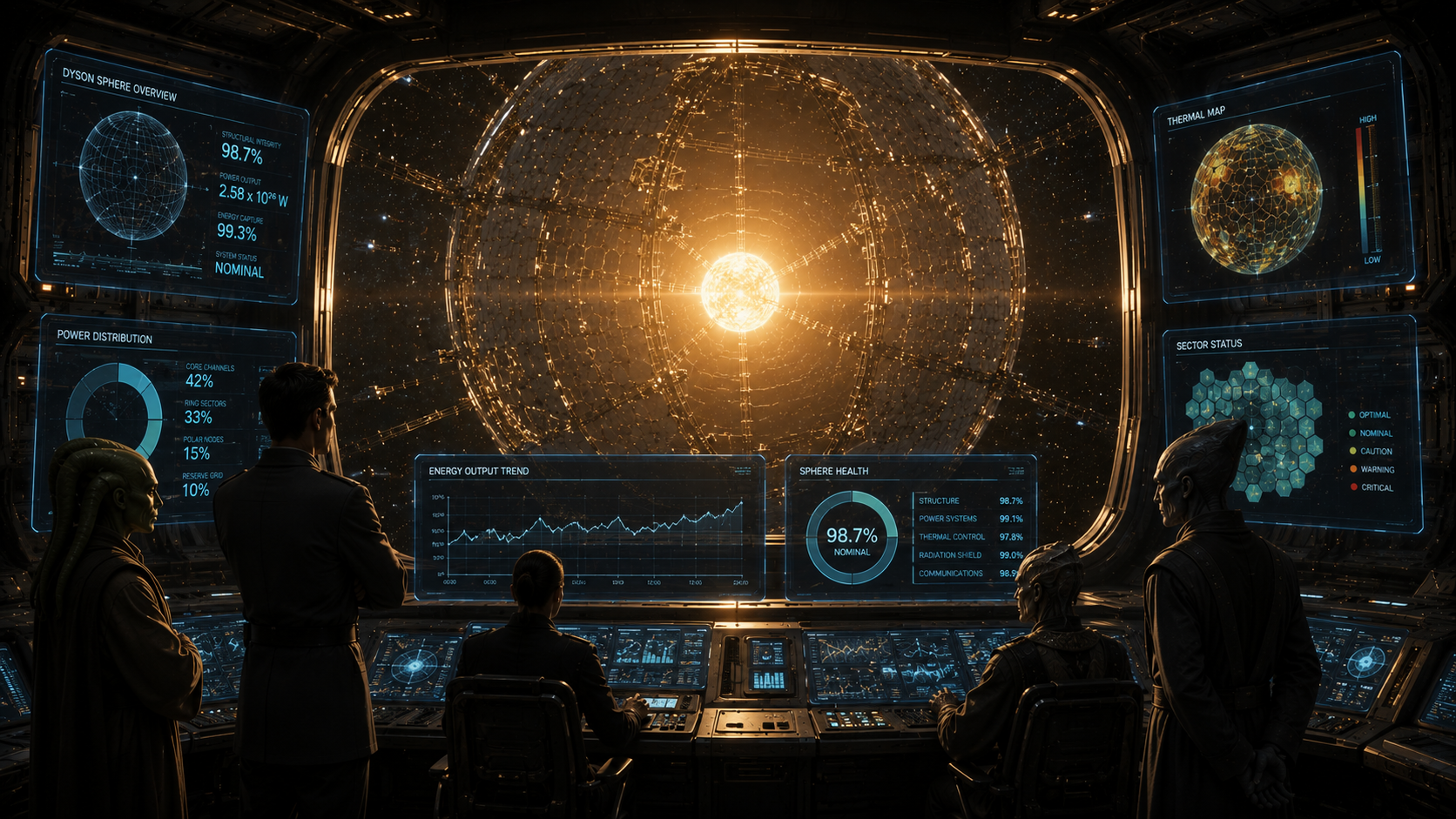
Observability is constructed from three signals working together: logs (what happened and when), metrics (how the system is performing over time), and traces (where time is being spent across services in a distributed system). A mature observability setup collects all three.
OpenTelemetry is the open standard for application instrumentation. It is vendor-neutral, free, and the correct foundation to build on. Instrument your application with OpenTelemetry once, and you can route the telemetry data to any compatible backend without rewriting instrumentation code when you change vendors. This is the right starting point for any new project.
Prometheus (open source) collects and stores metrics as time-series data. Grafana (open source) visualises those metrics in dashboards, the kind of dashboards that look appropriately impressive on a monitor in the engineering area. Together, they form the most popular self-hosted monitoring stack in the industry. Grafana Cloud offers a free tier (10,000 metric series, 50GB logs, 50GB traces) and Pro seats at $8/user/month for teams that want the managed experience.
Datadog is the enterprise all-in-one platform: metrics, logs, APM, synthetic monitoring, error tracking, and over 1,000 integrations in a single interface. The breadth is genuinely impressive and the product is excellent. Infrastructure Pro is $15/host/month; APM adds $31/host/month. A ten-host production environment with APM enabled costs approximately $4,600/month. Worthwhile for larger engineering organisations; significant overkill for most teams starting out.
New Relic has shifted to a consumption-based model: 100GB of data ingest per month free, then $0.30/GB. Accessible for small teams, but costs can escalate as data volumes grow: $15,000 to $40,000 per year for larger platforms is not unusual.
Sentry focuses on error tracking and performance monitoring at the application layer. When an unhandled exception occurs in production, Sentry captures the full stack trace, the request context, the browser or device details, and a breadcrumb trail showing what the user did before the error. This is a different capability from infrastructure monitoring: it answers "what went wrong in my code" rather than "what went wrong in my servers." The free tier handles 5,000 errors per month; Team plans start at $26/month.
| Tool | Focus | Free Tier | Paid |
|---|---|---|---|
| Prometheus + Grafana | Metrics and dashboards | Open source; Cloud free tier | $8/user/mo (Cloud Pro) |
| Datadog | Full-stack observability | 5 hosts, 1-day retention | $15/host/mo + $31/host APM |
| New Relic | APM and infrastructure | 100GB/month data ingest | $0.30/GB after free tier |
| Sentry | Error tracking | 5,000 errors/month | $26/mo (Team) |
Beginner pick: Add Sentry on day one. It costs nothing, takes thirty minutes to integrate, and will tell you when something breaks in production before a user files a support ticket. Add Grafana Cloud when you want infrastructure metrics and dashboards. The combination covers 80% of what most growing teams need.
Stage 9The Threat Response Division: Security and Quality Gates
A Dyson sphere is the most significant engineering achievement of any civilization that builds one. It is also, consequently, the most significant target. The civilization's entire energy supply passes through it. An unauthorized modification to the control systems could alter energy distribution across inhabited systems. A deliberate structural compromise of a panel cluster, if cascading effects were not contained, could affect sectors covering populated regions. The Threat Response Division does not assume the sphere will remain unmolested simply because attacking it would be difficult.
The interesting detail about the defense systems is that most of them run automatically. Access to control infrastructure requires authentication that the Division manages centrally, not individual operators. Structural anomalies trigger automated isolation protocols before a human analyst has even opened the alert. The sphere does not wait for someone to notice an unauthorized access attempt before logging it. Defense that depends on a human remembering to check something is not defense; it is optimism with extra steps.
Software security should work the same way. The most effective security tools run automatically on every change, before anything reaches production, without depending on a developer to remember to run them before a deadline sprint.
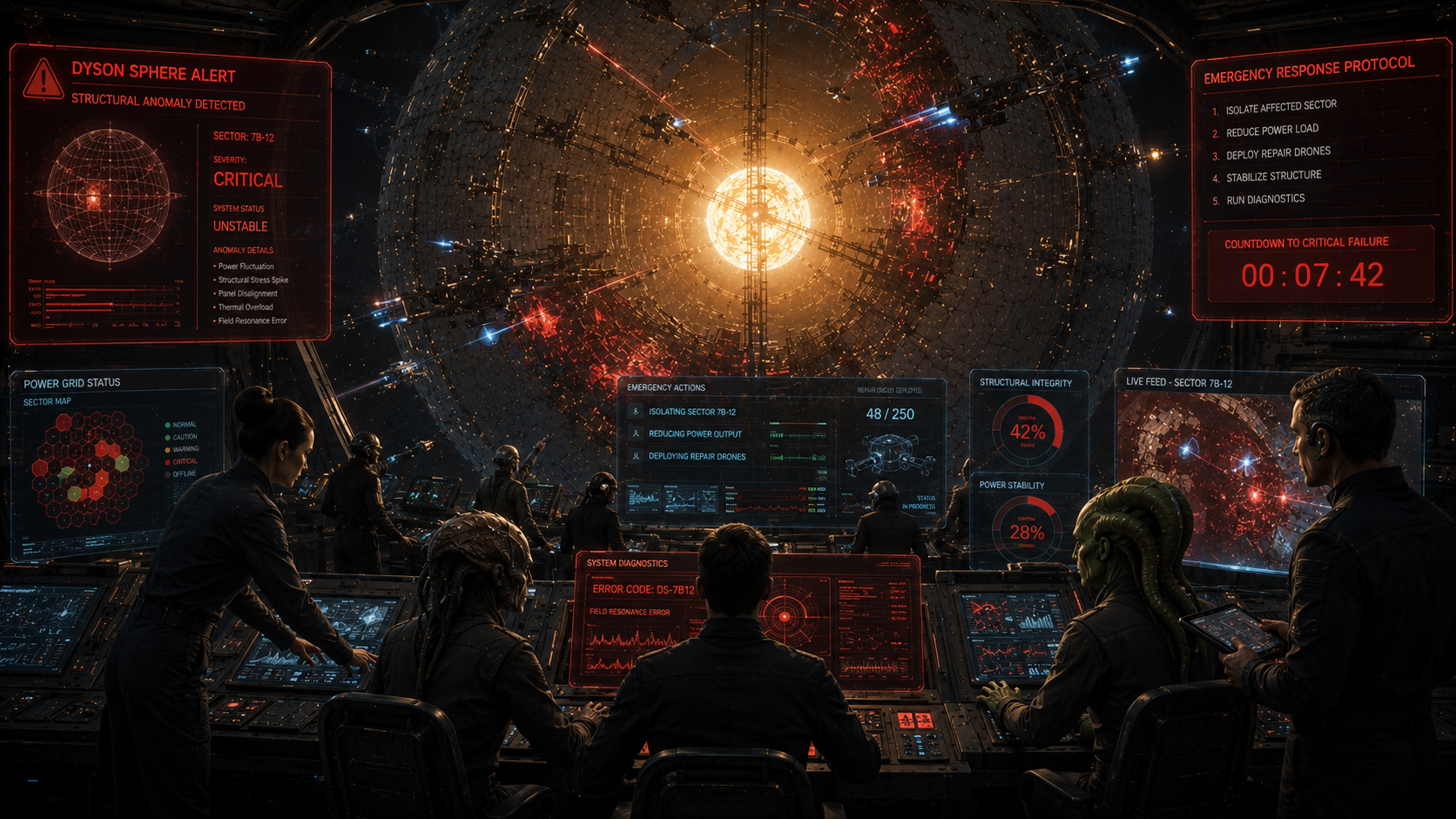
Security tooling for software teams covers four distinct concerns: what your dependencies contain, what your code contains, what your containers contain, and what your running application exposes.
Dependabot is the baseline for every team hosting code on GitHub. It automatically monitors your third-party dependencies for known vulnerabilities and opens pull requests with patched versions when they are available. Free for all GitHub repositories, requires no additional configuration to enable. There is genuinely no reason not to turn this on immediately.
Snyk goes substantially deeper, scanning application code (SAST), open source dependencies (SCA), Docker images, and infrastructure-as-code configurations in a single platform, with prioritised remediation guidance alongside each finding. The free tier covers open source projects with 200 tests per month. Team plans are $25/developer/month. For teams building production applications, the breadth of what Snyk catches in a single scan makes the cost straightforward to justify.
GitGuardian focuses specifically on secret detection, catching API keys, database credentials, private tokens, and certificates before they are committed to version control. This is a surprisingly common problem: developers accidentally commit a credentials file, the commit is pushed, and the credential is now in the repository history even after deletion. GitGuardian monitors in real time and alerts before the push completes. GitHub's built-in secret scanning also catches common patterns automatically and is free for all repositories.
Trivy (free and open source, by Aqua Security) is a fast, accurate scanner for Docker images and infrastructure-as-code files. It checks images against a continuously updated vulnerability database and integrates into CI pipelines with a single command. It is the first tool to reach for when you need container image scanning and the friction to adoption is intentionally minimal.
SonarQube combines code quality metrics with security analysis, detecting bugs, code smells, duplication, and security hotspots across your codebase. The Community Edition is free and self-hosted. The Developer Edition adds branch analysis and additional language support at $150/year for a single developer licence. Enterprise editions scale to $500–$2,000/month for larger organisations.
OWASP ZAP (Zed Attack Proxy) is a free, open-source dynamic analysis tool that tests your running application for web vulnerabilities: SQL injection, XSS, broken authentication, misconfigured security headers, and the rest of the OWASP Top Ten list. It is the standard first tool for application-level security testing and the starting point before any penetration testing engagement.
Beginner pick: Enable Dependabot on every repository immediately. Add Trivy to your CI pipeline for container image scanning with a single pipeline step. Use ESLint with security-focused plugins (eslint-plugin-security for JavaScript projects) from the first day of development. These three cost nothing, require minimal configuration, and systematically eliminate entire categories of common vulnerabilities before they reach production.
The Complete Toolstack at a Glance
The table below summarises the full recommended stack: the minimum viable option for a team starting out, and the step-up choice once the free tier becomes a constraint.
| SDLC Stage | Start Here (Free) | Grow Into | Monthly Cost Range |
|---|---|---|---|
| Planning | Linear or Trello | Jira Standard | Free to $7.91/user |
| Documentation | Notion (free tier) | Confluence + Miro | Free to $5.42/user |
| Version Control | GitHub (free) | GitHub Team | Free to $4/user |
| Dev Environment | VS Code + Docker Desktop | JetBrains IDEs | Free to $24.90/mo |
| CI/CD | GitHub Actions | GitLab CI or CircleCI | Free to $0.006/min |
| Testing | Vitest + Playwright | Cypress Cloud / Postman Team | Free to $67/mo |
| Deployment | Vercel (frontend) + Railway | AWS EKS / Azure AKS / GKE | Free to $73+/mo |
| Infrastructure as Code | Terraform CLI | Pulumi Team | Free to $40/mo |
| Monitoring | Sentry + Grafana Cloud | Datadog | Free to $26/mo |
| Security | Dependabot + Trivy | Snyk Team | Free to $25/dev |
The Bottom Line
Building a Dyson sphere without the right tools does not simply make construction harder; it means the star wins. Centuries of panel specifications become obsolete because nobody tracked the revisions. Construction fleets operating on incompatible coordinate systems produce a structure that does not connect at the seams. Stress simulations that were never run fail to catch a design flaw that destroys sixteen thousand panels in a single solar event. The security review that was deferred to "after deployment" runs slightly too late. Each of these failures has a direct software equivalent, and none of them require a stellar megastructure to produce.
The SDLC toolstack is not a collection of nice-to-haves. It is the stellar archive, the validation system, the sphere management array, and the threat response division. Every stage serves a purpose, and the stages reinforce each other. Tests that are not automated will not run consistently. Deployments that are not instrumented will fail silently. Code that is not reviewed will accumulate structural problems that become exponentially harder to fix as more sections go up around them.
You do not need every tool in this guide on day one. The pattern is consistent across every stage: start with the free option, use it properly, and only add complexity when a genuine constraint demands it. The teams that over-engineer their toolstack before they have users are the software equivalent of installing a full sphere management array before a single panel has been manufactured. Pick one tool per stage. Learn it well. Build the next section when the current one is solid.